
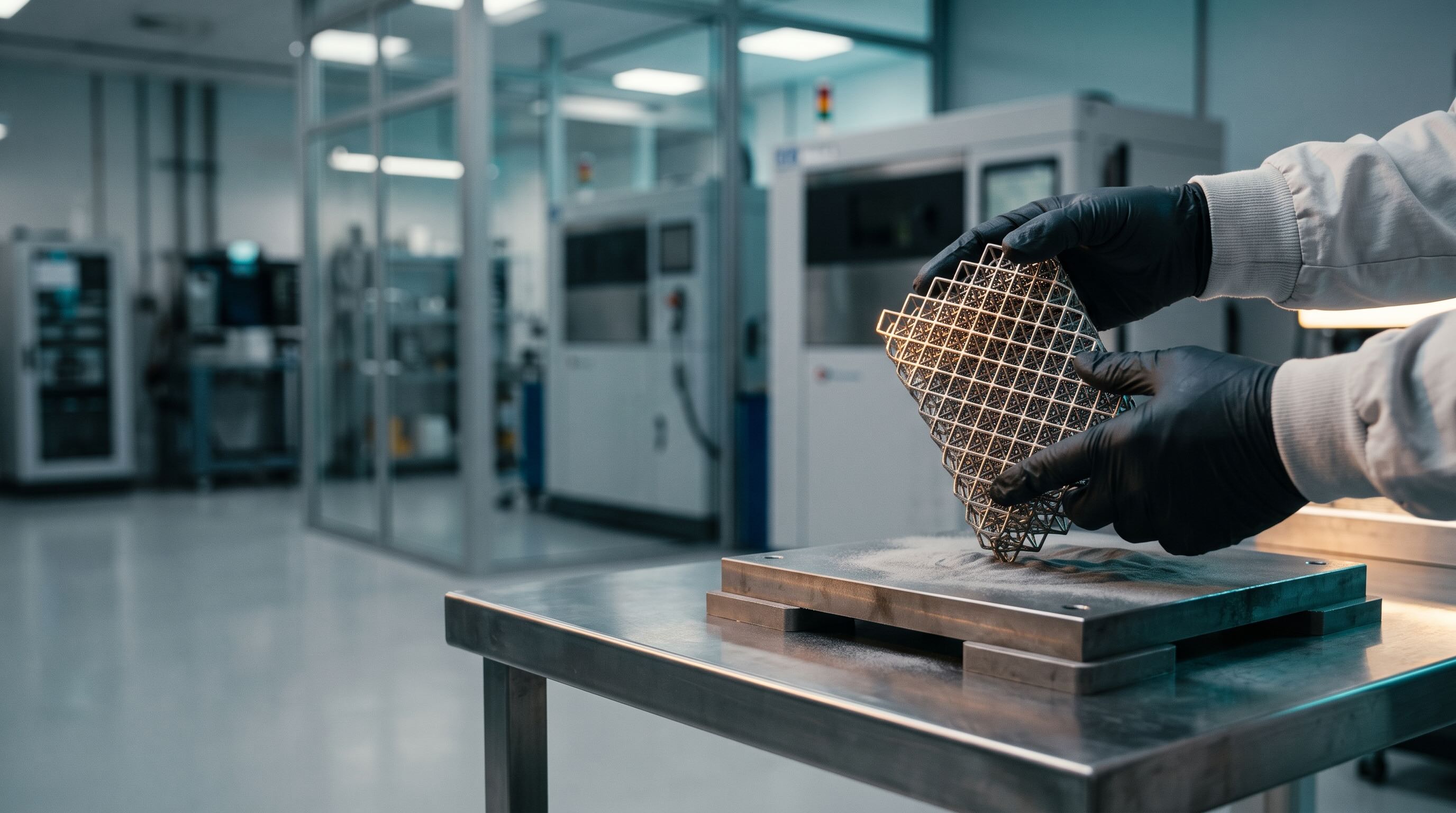
Additive manufacturing software from powder to part.
Sutton brings powder lots, print scheduling, part records and real costing together so your 3D printing team spends less time chasing spreadsheets and more time shipping parts.











Where additive shops lose time, material and margin
A late failed build wastes a day of printer time. Idle machines waste the rest. Quotes built on guesses hide what each part really costs.
Failed builds burn material and days
A build that fails late wastes powder, machine time and a promised ship date, and the same mistake can happen again.
Machines sit idle between jobs
Builds wait on files, powder, depowdering and finishing, so expensive printers stand still while the queue is unclear.
Costing and quoting run on guesses
Build time, material, packing and finishing labor are hard to price, so you learn a job lost money after it ships.


From powder to profit, nothing lost in between
Sutton's 3D printing ERP connects parameters, materials, the queue and costs, so builds succeed more often, machines stay full and quotes start from real numbers.
Fewer Failed Builds
Record failures with reasons and compare yield by parameter set, machine and material, so you repeat what works.
Fuller Machines
Schedule builds around machines, material and due dates, and track downtime so printers stay busy.
Costs You Can Trust
Roll machine time, powder, supports and labor into the true cost of each part, so quotes start from real numbers.
One Record per Part
Pull a part's parameter set, material lot, build record and inspection photos together when a customer asks.
Where additive shops get the most value
Build parameters, a live print queue, per part records and real part costing: the Sutton features that matter most in 3D print farm management software.
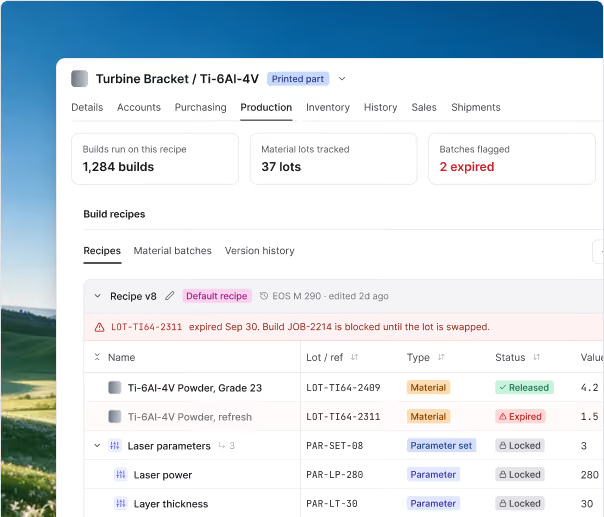
Build Parameters and Yield
Every part runs from a saved parameter set that remembers what worked: the material, the machine settings and the yield it delivered.
- Version each parameter set, with a log of every change
- Link powder, resin and filament by exact quantity
- Compare yield by parameter set, machine and material
- Flag a parameter set that drifts from its baseline
Print Queue and Finishing
See every printer, every queued build and every part waiting in finishing, and promise dates you can keep.
- See each printer's queue by capability and loaded material
- Schedule builds around material on hand and due dates
- Follow parts through depowdering, support removal, heat treat and inspection
- Reprioritize when a rush job lands, without walking the floor
Part Records and Serialization
Every part carries its own record: parameter set, powder lot, machine, operator, post-processing and inspection.
- Serialize parts or batches with scannable labels
- Package an as-built record for a customer or audit
- Attach certificates, scan reports, inspection results and photos
- Trace any powder lot forward to every part and customer
.jpg)
Orders and Part Costing
From the first quote request to the shipped part, with the real cost of every build.
- Attach customer files and drawings to every quote and job
- Cost each part from machine time, powder, supports, finishing and labor
- See quoted versus actual cost after the job runs
- Turn approved quotes into sales orders and scheduled builds
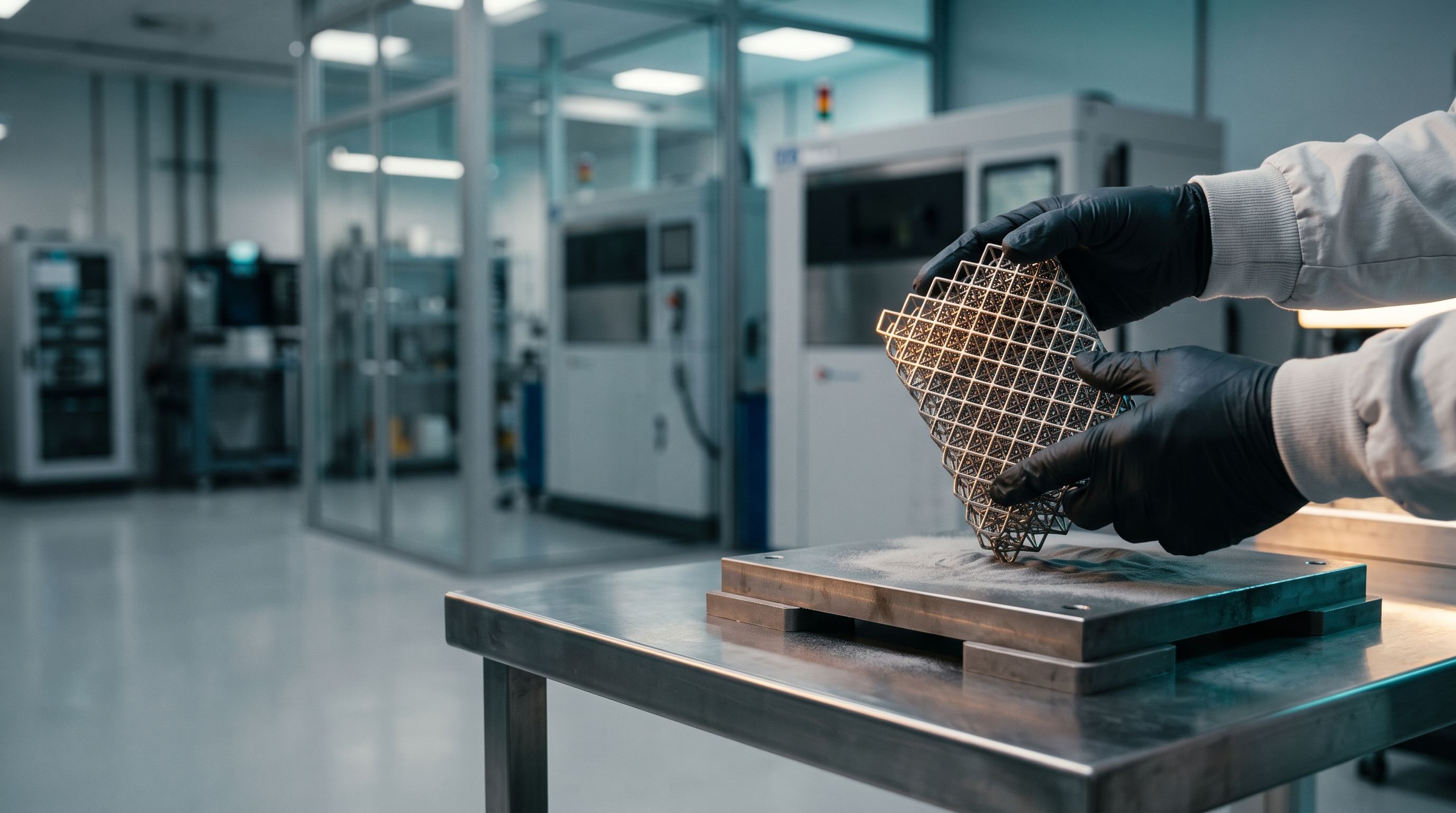
Every capability built for 3D printing and additive production
Sutton is additive manufacturing ERP, the software additive manufacturing companies use to trace every part from the powder lot to the customer, across metal, polymer, resin and filament operations.
Capability title
One-line capability description from the CMS list.
- Build Parameters and Versions Save settings, materials and steps by part, material and machine, and log every change.
- Powder, Resin and Filament Lots Track every lot from receipt through every build, including builds that draw on two lots, with how much of each was used.
- Weight Based Inventory and Expiry Draw spools, drums and cartridges down by weight, and flag expired material before a job starts.
- Reordering and Purchasing Set reorder points per material and receive partial deliveries against open purchase orders.
- Printers as Equipment Add each printer as equipment, assign it to routing steps and record which machine ran every build.
- Print Queue and Scheduling Schedule builds by machine capability, material on hand and due date.
- Utilization and Machine Monitoring Track utilization and downtime per printer with Sutton Machine Monitoring, and bring in data from any machine that can send it.
- Yield and Failures Record failed builds and scrap with reasons, and see yield by parameter set, machine and material.
- Builds From Several Orders Set up a build to carry parts from several orders, and split machine time and material across them by the rule you choose.
- Post Processing Routing Turn depowdering, support removal, heat treat, HIP and finishing into steps with their own queues, in house or sent out to a vendor.
- Serialization and Labels Label parts or batches and scan them through every step.
- As-Built Part Records Link each part to its parameter set, powder lot, machine, operator and inspection record.
- Inspection and Certificates Attach certificates of analysis, scan reports, inspection results and photos to every build.
- Quotes With Files and Drawings Attach STL, STEP and drawings to quotes and jobs, then turn approved quotes into sales orders and scheduled builds.
- Part Costing and COGS Roll machine time, powder, supports, finishing and labor into the cost of each part, using your own work center rates.
- Customer Portal Let customers upload files, approve quotes and follow the status of their parts.
Everything you need to run your operations with Sutton.
One platform for inventory, production and purchasing, with Studio to build your own apps and Intelligence to show you what needs attention.
Run every operation from one system
Inventory, purchasing, production and sales orders share the same live data, so every team works from one source of truth.
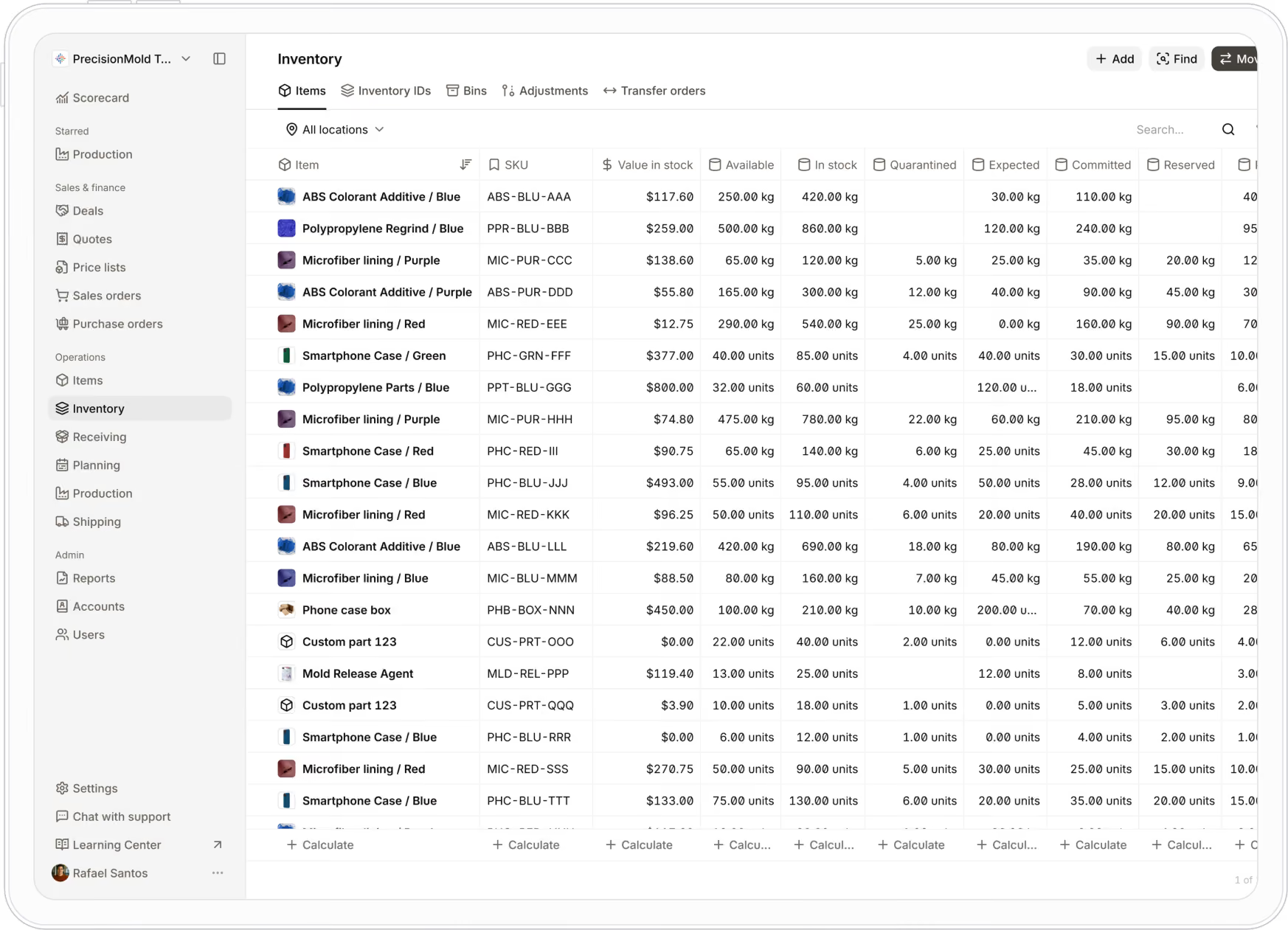
Build your own apps in plain English
Describe the screen, report or automation you need and Studio builds it on your live data in minutes. Prefer a hand? Our team builds it with you.
See what needs attention before it costs you
Sutton Intelligence turns your live operations data into insights, so you can spot shortages, delays and margin issues early.
Yes.
Three critical materials are projected to run out within the next seven days:
I recommend reordering all three items now to avoid production delays.
Based on current demand, open orders, and supplier lead times, you should order:
No more implementation.
Just onboarding.
Sutton's onboarding agent reformats your data, configures your system, and gets you live. A real human is always a call away. And if something is missing, describe it in plain English and it exists inside the product in minutes.

Hi Siddharth,
How can I help you today?

AI agents reformat your data, map your fields, make bulk edits, and configure the system. What used to take weeks of manual work happens automatically. You review and confirm.

What would you recommend for purchase approvals?

For your operation, I’d add a manager review step only for high-value orders. It keeps things moving without losing control.
Sounds good. How soon can we test it?
I can have the updated workflow ready tomorrow, then we’ll test it with your team and move toward launch.
Map your locations, workflows, and rules. Sutton is configured around how your operation actually runs — no rigid templates.
 Rafael Santos
 Smartphone Case / Blue
 Smartphone Case / Green
 Smartphone Case / Red
 Microfiber lining / Red
 Microfiber lining / Purple
 ABS Colorant Additive / BlueABS Colorant Additive / Purple
 Polypropylene Parts / BluePolypropylene Regrind / Blue
 Phone case box
 Mold Release Agent
Create a portal where franchise locations can order approved items and track deliveries.
Got it. I’ll set up a dedicated ordering portal for your franchise locations.
Done. Franchise Orders has been added to the navigation bar and is ready for review.

Missing something? Describe what you need in plain English and it exists inside the product in minutes. Or let our team build it for you. Either way, the feature no other vendor could deliver is live in days, not months.
Questions? Answers.
Your most frequently asked questions, all in one place. If you don’t see what you need, reach out to us.
Additive manufacturing software manages the production side of 3D printing: materials, print queues, post processing, part records and cost, while slicers prepare the print file. Sutton does this in one system. Powder, resin and filament are tracked as lots, builds are scheduled against your printers, and every part carries a record of its material, machine, parameters and inspection. Costs roll up from the same data, so quotes and COGS start from what actually happened on the floor.
Sutton tracks each powder, resin or filament as a raw material with its own lots, so every batch keeps its supplier, receipt date and certificate. Add the material to a bill of materials with the amount each build needs, and every manufacturing order commits it automatically and draws stock down. You can see what is available versus committed at any time, and because each build records the lots it used, you can trace a lot forward to the parts and customers it reached.
A job in Sutton can draw on more than one lot, such as a virgin lot and a reused lot, and Sutton records how much of each was used. Every part traces back to those lots, so you can see everything a given lot touched. To document the blend on the part itself, add a field to the serialized output, for example 40 percent lot A and 60 percent lot B. Reuse limits and sieve rules vary by machine and alloy, so they are set up to match your process.
Add each printer as equipment and assign it to the routing steps it can run. When a manufacturing order is created in Sutton, operators see which printer to use, and each work order records the machine that ran it. A build can also carry parts from several orders, with machine time and material split across them by the rule you choose, which Sutton's team sets up with you during onboarding.
Yes. Sutton turns depowdering, support removal, heat treat, HIP, curing and finishing into routing steps, each with its own work orders and queue, so you can see where parts are waiting and which station is the bottleneck. Steps can run in house or be sent to an outside vendor, and each one is recorded on the part's history.
Utilization comes from the machine on record for every build, and failure rates come from yield tracking. In Sutton, each printer is set up as equipment and workers select it when they start a work order. Sutton Machine Monitoring adds live run time and downtime from each machine's electrical use, and any machine or system that can send data to Sutton can feed in as well. Turn on yield tracking for an item and Sutton shows yield live on manufacturing and work orders, with failed builds and scrap recorded by reason.
In additive manufacturing, the ability to track and see the manufacturing history of a component or subassembly is referred to as part traceability.
This is done by using a tool or software that keeps a complete digital record of how a product gets manufactured, not just updating its quantities after production runs. For this to work properly, you need a solution that can:
- Connect the design file and its revisions
- Record the origin and history of the materials used
- Save the machine and parameters involved in the build
- Document the build conditions
- Recognize the operators and actions taken
- Save any post processing steps the part went through afterward
Traceability solutions built for additive manufacturing typically include serialized inventory functionality, which assigns a unique identification number or code to an item so it can be tracked through production, inventory and sales.
Sutton supports part traceability through labels. Every serialized item gets a label that identifies either a specific unit or batch, and operators use a barcode scanner to track it through each production step. Because each part's record includes its powder lot, you can trace in both directions: from a suspect lot forward to every part and customer it reached, or from a finished part back to the lot, machine and parameters behind it.
Serialized tracking and full end to end traceability are necessary for tracing warranty claims, repairs and quality issues. Serialization is also a legal requirement in some industries and helps launch recalls or investigate defective products quickly.
Aerospace and medical customers typically ask for the same core records: material lot and certificate, powder reuse history, machine and build parameters, post processing and heat treat records, inspection results, and a serial number tying them to each part. Sutton keeps these on each part. Certificates, scan reports, inspection results and photos attach to each build and part, and the as built record can be packaged for a customer or audit. Standards such as AS9100 and ISO 13485 set what your customer requires, so your quality team confirms the specifics.
Add up machine time, powder or resin including supports, finishing labor and inspection, then split a shared build across its parts. Sutton does this from your recorded work orders, lot costs and work center rates. When you quote, bring in the build time from your slicer, and after the job runs Sutton shows quoted versus actual cost, so the next quote is closer.
Yes. Sutton syncs natively with QuickBooks Online, QuickBooks Desktop, Xero, NetSuite and Sage Intacct, so bills, invoices and expenses flow between the two without double entry. Design files such as STL and STEP attach to quotes and jobs so they travel with the order, and an open API and webhooks connect other tools your team uses, such as a quoting tool.
Built for the industries that make and move things.
We work with customers across every industry, so we know what yours needs. Tell us what you do and we will show you Sutton built around it.
What do you make or move?




All industries






Try another word, browse every industry, or talk to us. Sutton works across many more industries.
All the tools to run your operation
Explore the Sutton features that matter most to operations like yours, from inventory and production to purchasing, sales and traceability.


