





What Xero Handles Natively

Xero is a well-known and established tool for helping a company manage its finances, and comes with a bunch of other functionalities that allows certain types of businesses to keep other areas of their operations organized too.
For example, Xero order management tools exist on the platform, and can even be a great option for operations that are small and sell via a single-channel. This is because within Xero, you can do things like create, track, send, and approve purchase orders for suppliers. And once that purchase order is approved within Xero, it is automatically converted into a bill, streamlining accounts payable while keeping order entry and invoicing in one place.
Like we mentioned earlier, Xero is a suitable choice for businesses who are looking for accounting software and sell from a single channel.
This is due to the fact that Xero does come with inventory tracking features, allowing you to:
- See stock levels
- Check item quantities
- Get basic stock valuation using the average cost method
This is only supported at a single location, but all of the above update automatically as invoices and bills are processed. And on the bookkeeping side of things, it probably goes without saying that you can also create quotes for customers that convert into sales invoices once the terms have been agreed to.
However, this is all better suited for a micro or small business, and any above that will require a company looking into getting Xero integrations to get the most out of their software.
Where Xero Order Management Falls Short for Product Businesses

As you might already be guessing, for businesses with complex workflows like selling from multiple locations or those who produce their own products either in-house or via a contract manufacturer, Xero will be a struggle to use.
There is an add-on you can purchase, Xero Inventory Plus, that will help overcome some of these hurdles, but it still falls short in helping you manage larger operations with lots of different moving parts.
Did you know? Xero created an integration called Xero Inventory Plus that extends the capabilities of Xero by allowing businesses to manage multi-channel e-commerce needs. If you’re selling just online in multiple markets, it’s worth checking out. Otherwise you’ll need to head over to the Xero app store.
No True Sales Order Workflow
When it comes to Xero order management, its quote-to-invoice workflow is a lightweight solution to managing orders, and lacks many of the features that come with sales order management systems.
Once the order is placed, Xero doesn’t track its status. This means there’s no way of telling if items have been picked, packed, or shipped. The business only sees that the order exists on an invoice.
No Bill of Materials or Assembly Support
Manufacturers need tools that can help them track their production, and Xero (even with the Xero Inventory Plus) just isn’t built for these workflows.
Xero doesn’t have BOMs or support for building products. If you manufacture products from scratch or even assemble finished goods from subassemblies, then you will either have to track your raw materials and WIP inventory manually or with a different tool entirely.
And it doesn’t stop there. Let's imagine you don't manufacture your products but instead just sell items in bundles. Xero doesn't come with inventory kitting solutions.
Limited Multi-Location and Multi-Channel Handling
Unless you pay for the add-on, the out-of-the-box Xero order management system is not going to be able to allow you to separate your inventory by location.
Regardless of where anything is, it’s all going to appear in one place on Xero. And even if you do decide to go for the upgrade, it’s only going to be able to go a certain distance before it struggles, as Xero Inventory Plus doesn’t enable bin location tracking or pick-and-pack routing that is necessary for proper warehouse management.
When it comes to monitoring sales, Xero doesn’t sync inventory in real time with your other sales management platforms like Shopify, Amazon, or even your physical POS store. What this means is that it’s easier for you, your team, or your systems to accidentally sell the same unit of stock twice as Xero plays catch up. If you want to integrate your sales channels to Xero, you’re going to need to look into a third-party integration.
No Production or Fulfillment Status Tracking
Some businesses have a legal and ethical requirement to track their goods, and Xero will not be able to help you out here.
There’s no:
- Serial number
- Batch or Lot number
- Expiry tracking
If you need to perform a product recall or validate a warranty claim, it is not going to be possible with Xero order management.
When it comes to replenishing inventory, Inventory Plus does alleviate this pain a little with inventory management features like reorder points. But even then, you can’t automatically generate purchase orders or forecast demand, meaning that someone will always need to be checking stock levels to make reordering decisions.
Order Management for Manufacturers
%20(2).jpg)
Manufacturers rely on Xero for the accounting layer, but the purchasing and sales functions in a production business need more than Xero offers on its own.
Here’s just a sample of how manufacturers use (and don’t use) Xero inventory management.
Purchasing Gaps in a Manufacturing Context
Xero handles basic order creation and status tracking and converts received orders into bills for payment, but the statuses are rudimentary:
- Draft
- Approved
- Sent
- Billed
What it doesn't handle is anything tied to supplier relationships or production timing as there's no way to factor in:
- Supplier lead times
- Tiered pricing
- Supplier performance tracking
For a manufacturer juggling multiple raw material vendors with different lead times and price breaks, that gap shows up quickly.
Sales Order Limitations for Made-to-Order Production
Xero can generate quotes, sales orders, and invoices, and check current stock before a sale goes through — enough for straightforward retail or resale.
But manufacturing sales carries requirements Xero inventory management wasn't built for, things like:
- Estimating production cost and lead time for a custom or made-to-order item
- Configuring product variants
- Tracking an order's status as it moves through production rather than just through invoicing
Why Production Planning Requires an MRP Layer
The deeper gap is production planning itself, which Xero order management doesn't attempt.
Proper production scheduling starts from a bill of materials, checks it against on-hand inventory and incoming purchase orders, and calculates when a job can realistically start based on materials and capacity — logic that only an MRP or manufacturing ERP system provides.
This is why most growing manufacturers end up integrating Xero with a dedicated MRP platform rather than pushing purchasing and production workflows through Xero directly.
For manufacturers using Xero order management, purchase orders are treated as an operations process rather than an accounting one, so many teams manage them entirely in the upstream MRP or procurement tool and send Xero only the final supplier bill, tagged with a PO reference.
Xero's role becomes recording the transaction after the fact rather than managing the purchasing workflow itself — accounting and reporting are what it's built for, not production or supply chain coordination.
How to Extend Xero with a Connected Inventory System
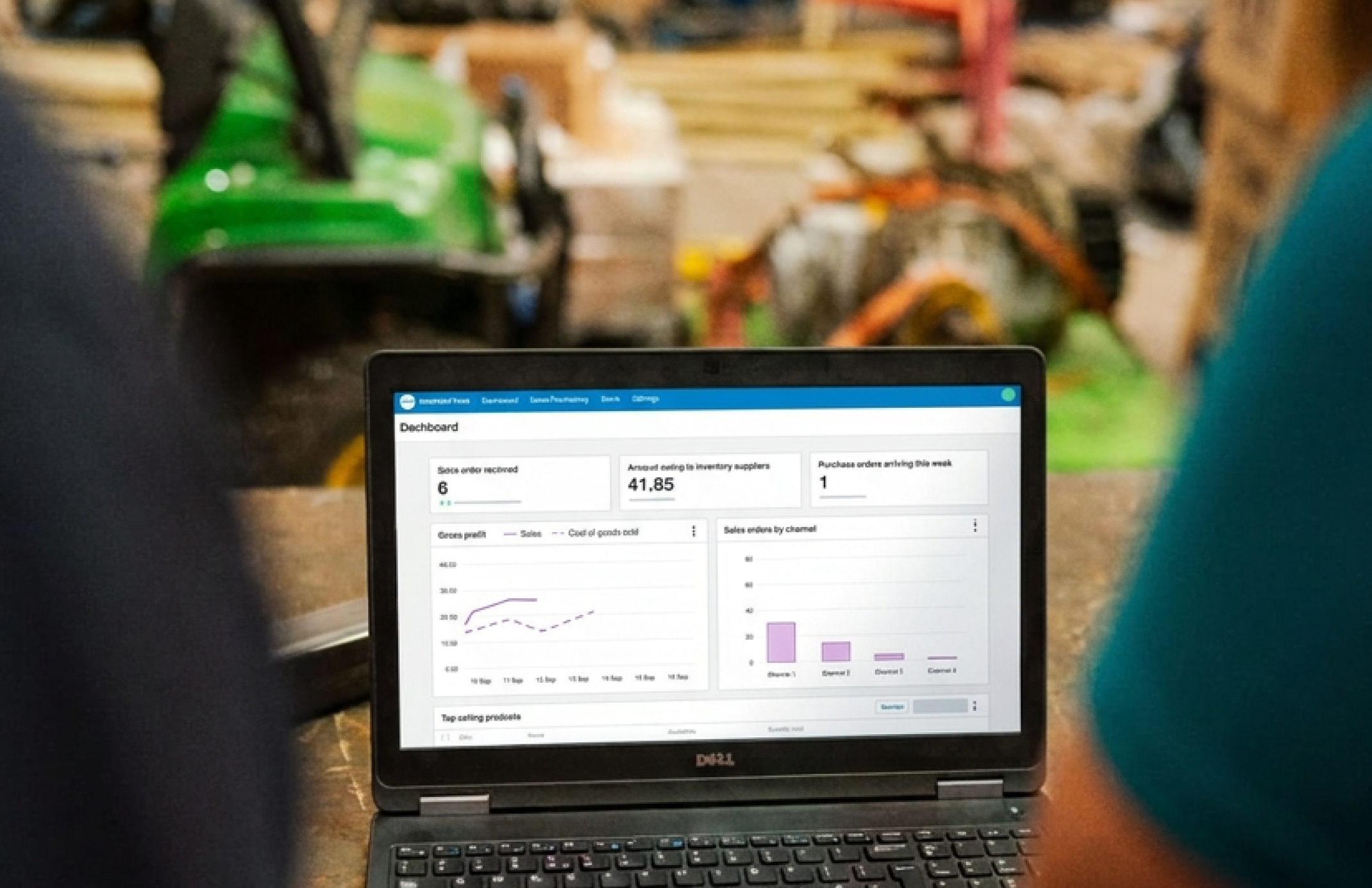
Outgrowing Xero's native inventory tools doesn't mean replacing Xero — it means connecting it to a dedicated inventory or operations system, like Sutton, and letting each platform own a distinct part of the business.
In this kind of setup, Sutton handles inventory tracking, items and bills of materials, sales and purchase orders, and production and fulfillment workflows, while Xero handles the accounting side:
- Invoices generated from sales orders
- Bills generated from purchase orders
- The financial reporting and tax records that follow from them
Here’s how you can take Xero order management to the next level by integrating a third-party solution.
Choosing and Connecting an App
Start by identifying an inventory or operations platform suited to your business.
Once you've picked one, the connection itself will depend on the particular tool you choose, but it usually goes like this (at least in the case of Sutton):
- Open the integration settings inside the app
- Select Xero as the connection target
- Authorize access to your specific Xero organization
Mapping Accounts and Setting Up the Workflow
After connecting, map the platform's data to your existing Xero ledger accounts and align tax rates across both systems so reporting stays accurate — you can do this by mapping your:
- Stock on hand to a current asset account
- Cost of goods sold to a direct cost account
- Sales to your revenue account
Once mapped, the day-to-day workflow and syncs will run on their own without the need for manual intervention (at least in the case of Sutton, which uses a two-way sync with Xero so data is correct on all platforms). Purchase orders raised in the connected app create matching bills in Xero, and sales orders generate matching invoices, updating inventory and revenue in real time.
Vendor, customer, and item records can be imported or exported in either direction, and any record missing in Xero when an order is pushed is created automatically, removing the need to keep both systems populated by hand.
Periodic reconciliation between the two systems catches any sync mismatches before they become accounting problems.
Evaluation Criteria for the Right App
Not every platform fits every business, so it's worth evaluating candidates against a few key factors:
- How quickly changes sync between systems
- Whether the app can calculate landed cost (freight, duties, and handling folded into true item cost)
- Barcode support for receiving and picking
- Multi-currency handling if you buy or sell internationally
- Granular user permissions
Beyond these, check that the app connects to the sales channels you actually use and that it posts clean, audit-ready journal entries to Xero rather than requiring manual cleanup.
The right fit eliminates double data entry while keeping a clear line between operational data and accounting records — it's worth deciding upfront which system is the source of truth for each data type, so there's no ambiguity if a discrepancy shows up.
What Syncs Back to Xero (Using Sutton as an Example)
.jpg)
Connecting Xero to an operations platform like Sutton means orders and records can move between the two systems automatically, but not everything is pushed without your say-so.
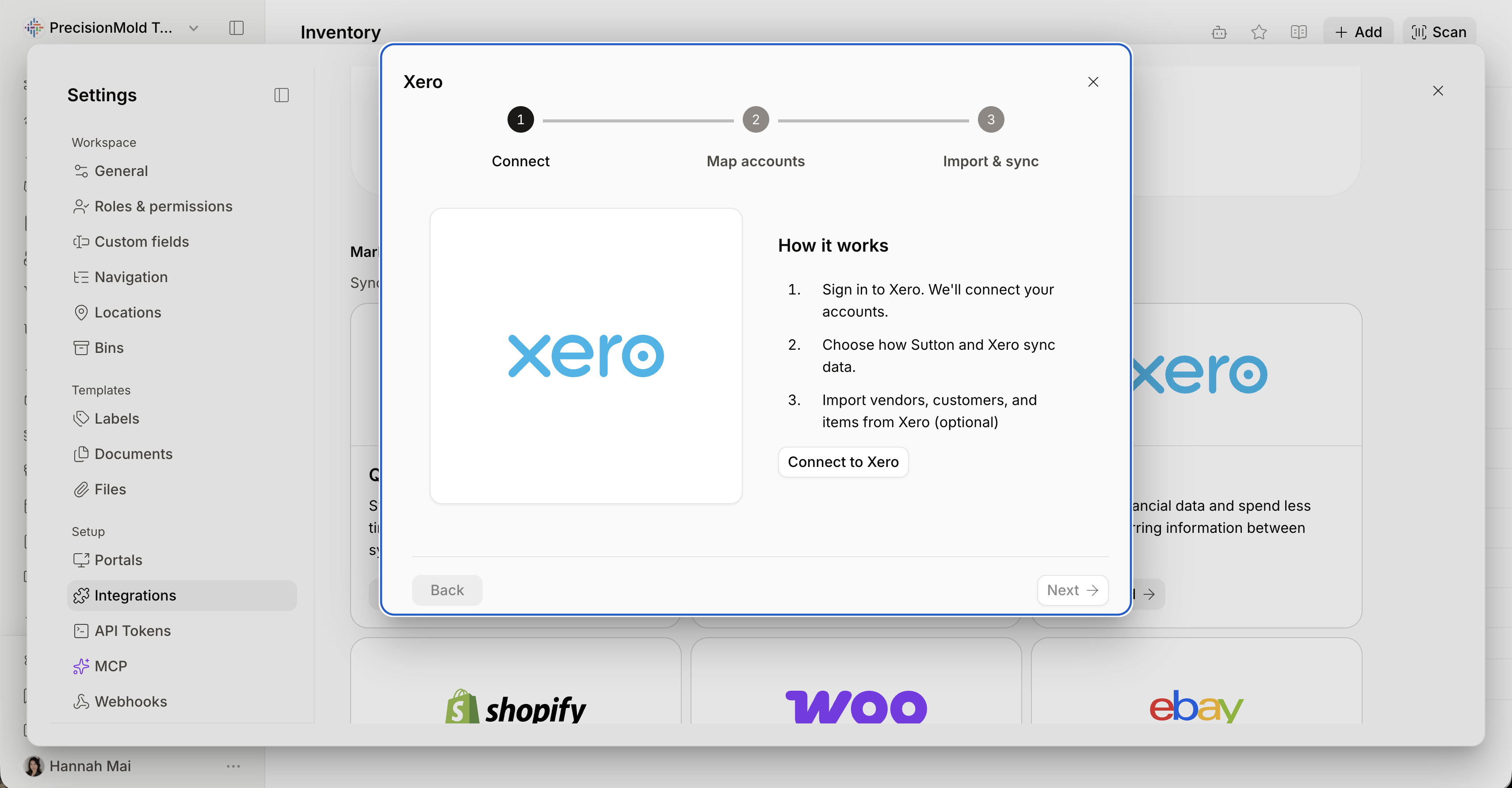
Setup starts in Settings, under Integrations, where you select Xero, authorize access to your Xero account, and map your accounts.
From there, you can import existing vendors, customers, and items from Xero into Sutton so both systems start from the same records.
What Syncs Automatically
Once connected, sales orders in Sutton can generate matching invoices in Xero, and purchase orders can generate matching bills — keeping financial and operational data aligned without manual re-entry.
If a vendor, customer, or item referenced on an order doesn't yet exist in Xero, Sutton creates it automatically at the point the order is pushed, so the sync doesn't stall on missing records.
What Doesn't Sync Automatically
Invoices and bills themselves are not sent the moment an order is created — you choose when to push them from Sutton to Xero.
The simplest way to think about the split is that Sutton manages operations (orders, items, vendors, customers), while Xero receives the accounting records only when you decide to send them.
Controlling Edge Cases
Two settings govern how strictly the sync behaves when orders and invoices don't line up exactly.
"Allow invoicing and billing above ordered quantity" controls whether a user can invoice or bill for more than what was originally ordered — off by default, with a confirmation warning shown if enabled.
"Allow invoicing unfulfilled sales orders" controls whether an invoice can be created before a sales order has been fully shipped. In the current setup, this is switched on, meaning invoicing isn't blocked by fulfillment status.
Both settings are worth reviewing, since they determine whether Xero enforces a hard link between what was ordered, shipped, and billed, or leaves that judgment to the user.
And there you have it! Everything you need to know about the benefits and limitations of using Xero order management. And, if you’re looking for a tool to help you bridge the feature gaps in your current Xero workflows, feel free to book a call with us and we’d be happy to give you a personalized demo of Sutton to show you exactly how it can work within your specific workflows.