



What Is ERP Implementation and What It Means for a Manufacturer
An ERP implementation is the process of moving away from your current business management system, planning, testing, and deploying a new ERP solution that helps you manage your entire business from one place.
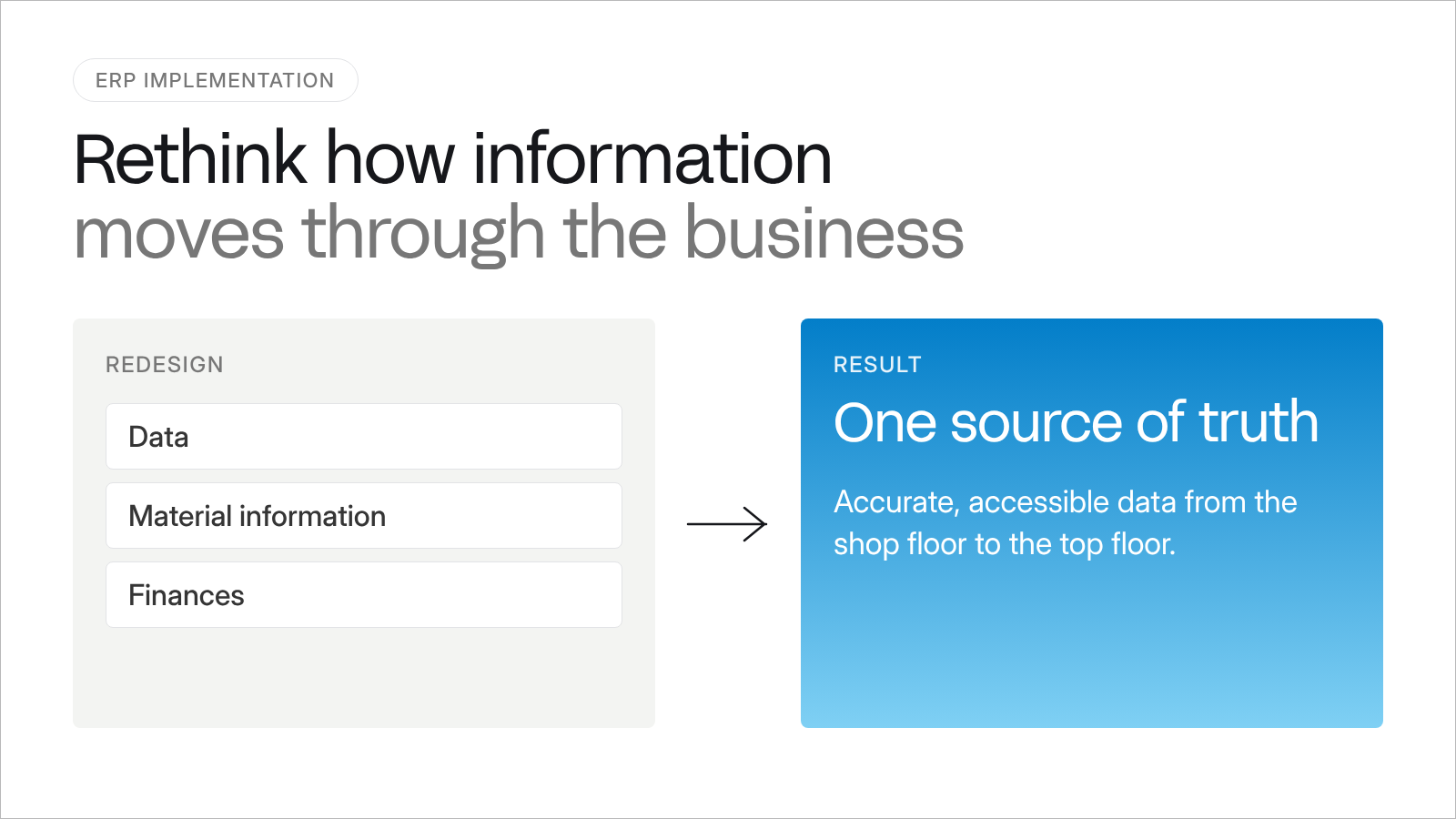
For a manufacturer who wants to move over to a new system, it’s not as simple as just choosing software and getting everything set up, because an ERP system implementation means a company needs to rethink how information is documented and how it moves through the business, by redesigning things like:
- Data
- Material information
- Finances
The reason for this drastic rethinking is that an ERP centralizes all your information and makes it accessible across departments, so the entire company operates from a single source of truth.
But once a manufacturer has taken the time to work it all out, they can enjoy the benefits of automated information flows, keeping data accurate and accessible from the shop floor to the top floor.
If you’re looking into ERP software implementation to upgrade your business's efficiency, here’s everything you need to know before you get started.
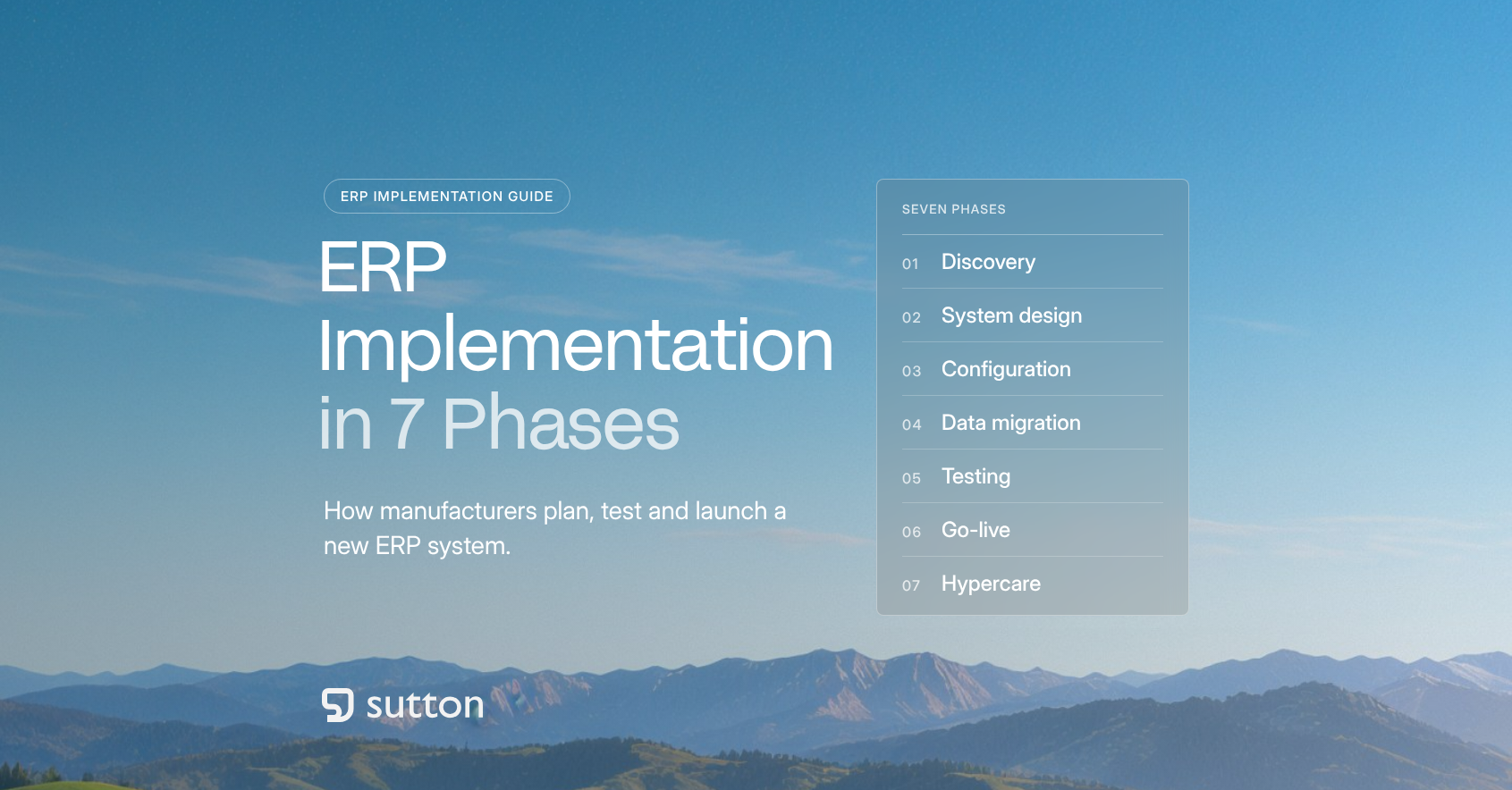
The 7 Phases of an ERP Implementation
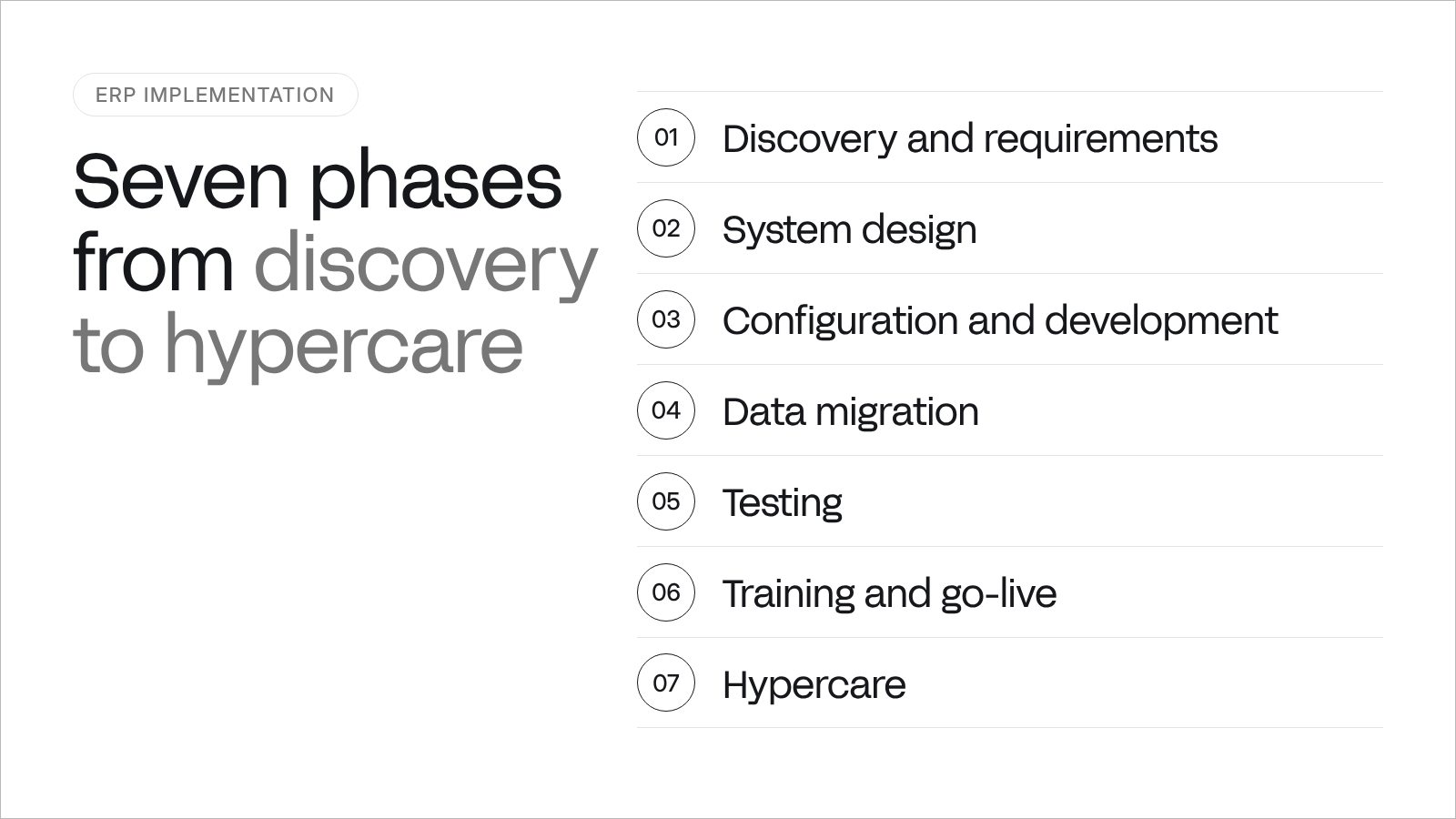
The implementation of ERP software, regardless of which vendor you choose, follows the same structured seven-phase lifecycle as you prepare and move to a new system.
Here are the seven you can expect to pass through (or at least be prepared to deal with) as you implement a new solution. Starting with:
1. Discovery and Requirements
There’s no point in thinking about ERP system implementation if you’re not entirely sure why you should upgrade to a new system.
The first phase of implementation should always be identifying the operational problems your current system can’t solve and how your new ERP will address them. But since an ERP will be handling all of your different business functions, you should be reviewing all your different flows to see how they’re currently managed and how teams communicate with each other, so look at your processes in:
- Purchasing
- Production
- Inventory
- Quality assurance
- Finance
By doing this, you are essentially creating a fit-gap analysis you can use when looking into new software, which will help you determine whether the solution works out of the box for your operations or if you’d need some customization to support your business flows.
2. System Design
As much as you could likely find an ERP solution that could manage your entire business, you’re likely using multiple different solutions that manage specific aspects of your business and would prefer to keep using those specialized tools like QuickBooks Desktop.
You will need to sit down with your teams to figure out what information needs to be sent to the system and who can access it. For example, an operator would need access and potentially edit rights to the Bill of Materials, while your accountant wouldn’t. During this part of the ERP implementation phases, you’ll want to think about system designs for:
- Records
- Workflows
- Permissions
- Integrations
3. Configuration and Development
Once you have your system design approved, the next ERP implementation step is configuration, which means taking that design and getting it up and running in the new software.
To do this, you and your teams will need to begin setting up:
- Modules
- Permissions
- Integrations
- Reports
- Extensions (as needed)
If your teams decide the solution needs customization during this stage that differs from the initial ERP implementation plan, be sure any requested changes are linked to a specific business requirement to avoid going out of scope.
4. Data Migration
Moving data, especially for mid-sized companies and enterprises, is a massive undertaking. Before you can even start the transfer, you need to clean it first by removing:
- Duplicates
- Outdated records
- Corrupted files
The bigger the database, the longer this task takes, and the timeline stretches if you need to move data spanning years or decades. You might try to save money by skipping data cleaning and validation, but this will only cause problems once you start using the ERP system.
5. Testing
Once your data is cleaned up, you have to move everything over to the new system and make sure it’s working properly.
But testing continues throughout the entire implementation process, beginning with tasks such as recording time against a manufacturing order in progress. You’ll need to repeat this for every operation and process step, comparing your legacy system’s output to the ERP to confirm data is being recorded as expected.
6. Training and Go-Live
With the system running smoothly, it’s time to onboard your teams to the new solution while the go-live takes you from ERP implementation to ERP implemented.
But before you switch everyone over, make sure to have a cutover plan that will establish things like:
- Final data transfer
- Reconciliations
- Support coverage across shifts
- Fallback conditions
Your cutover plan should also name someone to oversee the ERP implementation, to ensure there is someone accountable for the transition and able to determine whether migrations should proceed or be postponed due to any problems.
7. Hypercare (Post-Implementation Support)
Hypercare refers to concentrated support for your team and software after launch, as actual transitions are made within the new tool.
Hypercare is extremely important to establish because if anything goes wrong at this stage, your entire business can suffer, so you need a period of one to several months with a team to perform daily issue triage and deploy rapid fixes as issues arise.
So, there you have it! The seven ERP implementation steps or phases you will need to think about when you upgrade to a new solution. But that begs the question: now that you know the phases, how long does it actually take to pull off your ERP implementation strategy?
How Long ERP Implementation Takes
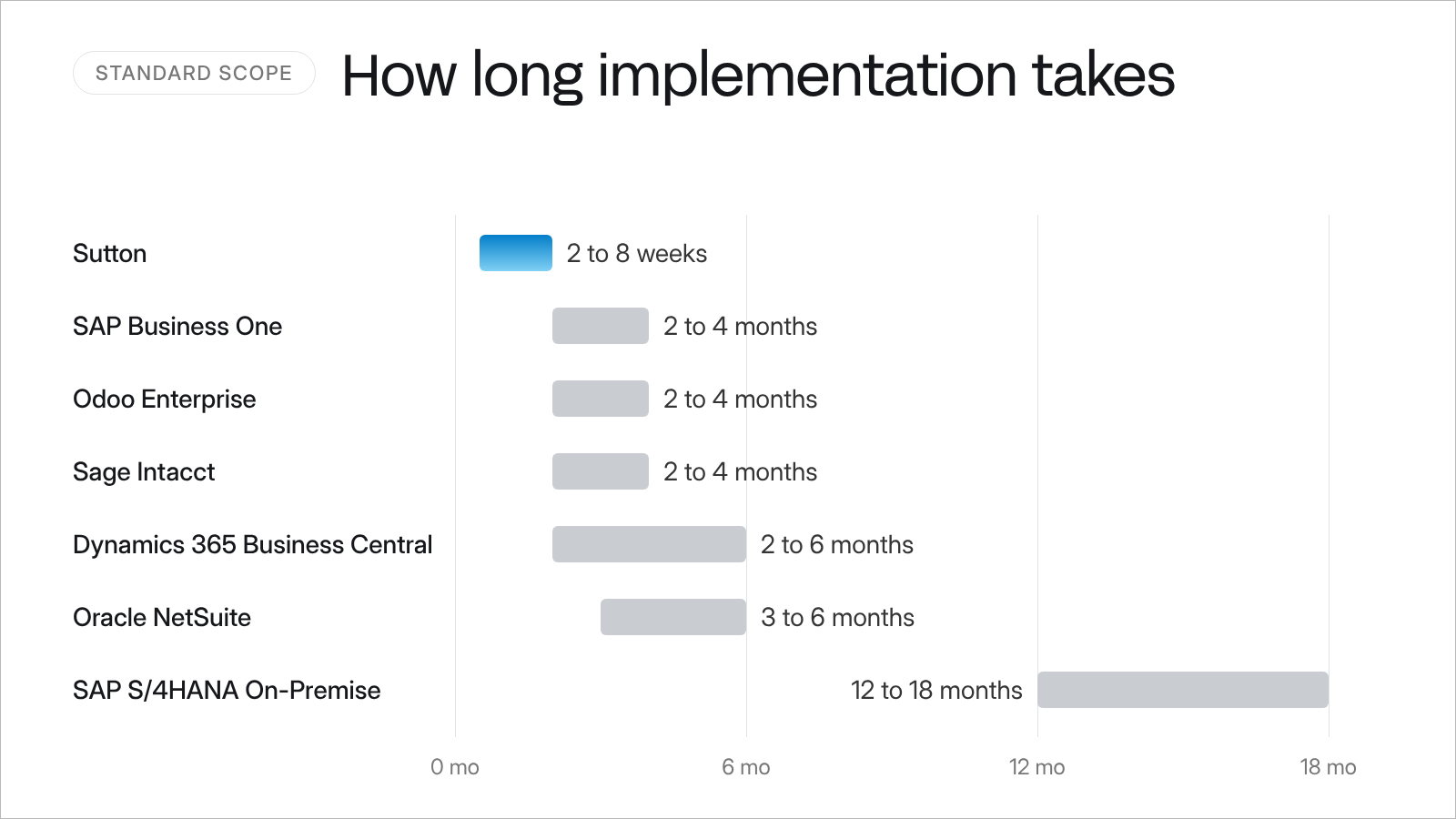
It all boils down to the vendor and the complexity of your operations.
A benchmark for a mid-market company implementing ERP software is set at about 3 to 12 months. However, nowadays with AI and cloud-based ERP solutions, it can take as little as 2 months.
To help you get a better understanding of how long it takes for ERP implementation to finish, here are some rough timelines from different ERP providers:
ERP Implementation Best Practices
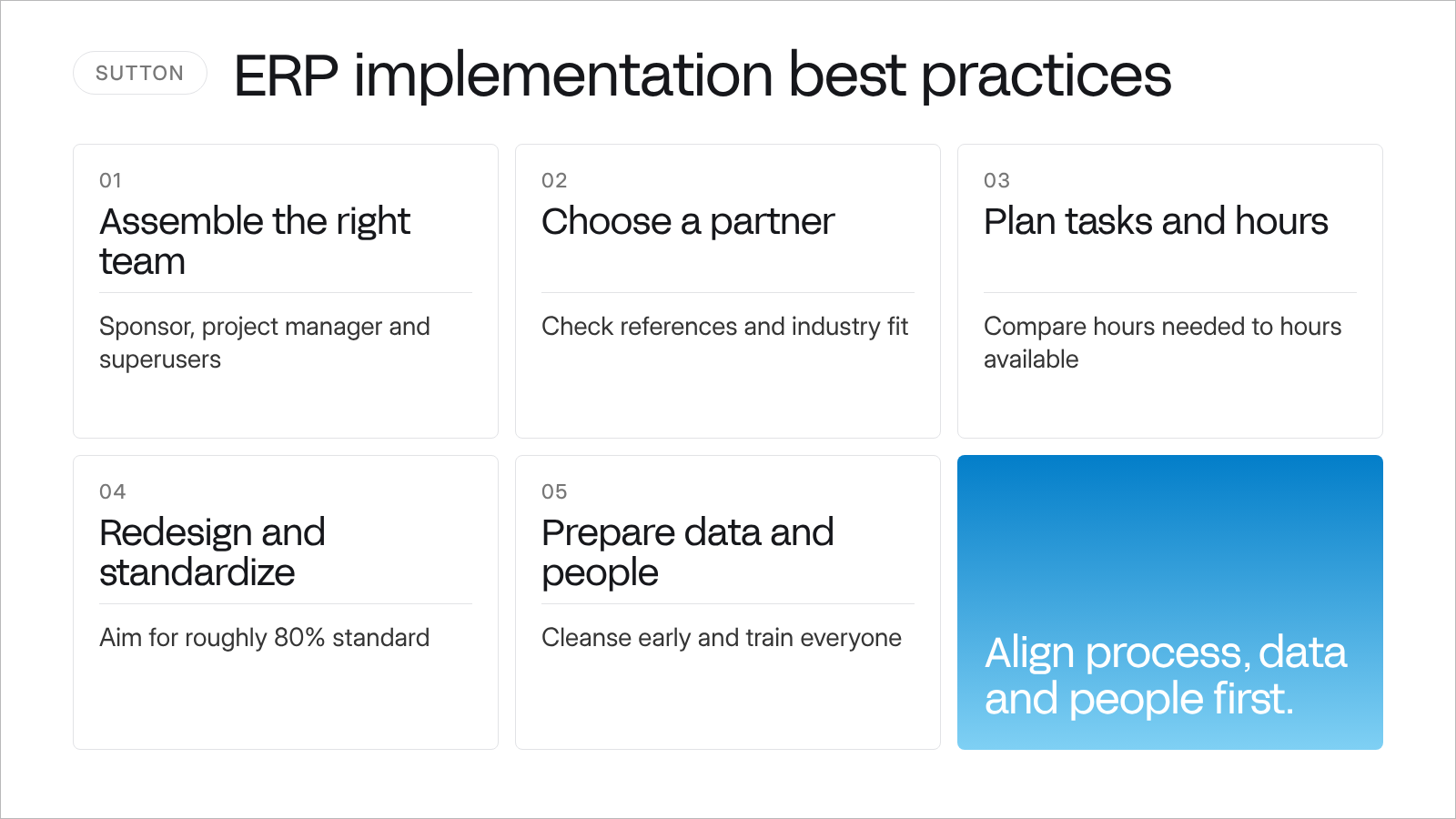
An ERP implementation succeeds when an organization aligns its core processes, data, and people before letting technology drive the project. The practices below cover the team, the partner, planning, process design, and ongoing communication.
Assemble the Right Team
Strong executive sponsorship goes well beyond signing the contract. A sponsor who prioritizes the implementation among other company projects contributes directly to its success, and early C-level involvement protects budget and cross-departmental alignment. A project manager works with the sponsor to form the vision and run day-to-day management. Subject matter experts bridge the gap between the project team and end users, and functional team members help discover requirements.
Appoint respected internal staff who can dedicate a meaningful portion of their time, ideally 25% or more. Superusers with leadership skills drive adoption and communicate the system’s value, so they should join early. A change management committee or agent connects the implementation partner, executive sponsor, and the rest of the company, especially during deployment and post-go-live support.
Choose an Implementation Partner
Most project teams have little experience implementing ERP, so a partner with intimate knowledge of the selected application is essential. Interview their references to verify that expertise. The partner should have staff trained in your industry and available in the necessary locations. International operations require multilingual staff and familiarity with multiple currencies and countries. Review the partner’s project management software for compatibility with your internal planning and tracking system.
Plan Tasks, Hours, and Schedule
Work with the partner to list every task and divide the list into phases. Allow time for the conference room pilot, customization, integrations, infrastructure, data cleansing, and user acceptance. Training needs to cover the project team, the IT team, business users, and new hires who join later.
Estimate the work hours for each task, even as a range, and assign a responsible team member. Then compare the hours required with the hours available. A 12-month target gives 28,080 available hours, and an implementation needing 42,000 hours takes 1.496 years. The go-live date is missed before the project begins. Executives must then decide whether to reduce scope, extend the date, add resources, or break the project into phases.
Redesign Processes and Standardize
Redesign workflows before configuring the software, because automating outdated or inefficient habits wastes the opportunity. Phase zero planning establishes a blueprint for systems, data architecture, and organizational readiness before deployment starts. Aim for roughly 80% standard functionality, since heavy customization raises maintenance costs, technical debt, and upgrade friction.
The conference room pilot follows kickoff and runs for several weeks. The partner installs pilot software so the team can test-drive every process and validate it with stakeholders from the user community.
Prepare Data and People
Data cleansing is time-consuming, so start assessing accuracy early. Business process changes during the project create additional data management steps. Structured training for project teams, IT staff, and daily users helps combat resistance. Strict control of change orders keeps new requests from stretching timelines and budgets.
A project team member should update key stakeholders weekly on both the positives and the not-so-positives, since surprises are the worst outcome. Most project management systems offer visual progress views. After launch, a post-implementation review closes the loop.
How Sutton Approaches Implementation
Sutton’s implementation is designed to be simple and self-guided. Teams complete a few core setup steps and then move into daily operations. For a mid-sized manufacturer, the process adds layers for data import, production and scheduling configuration, and integrations.
The Implementation Flow
Setup starts with the organization. Admins confirm the organization details and their own profile, then configure locations, roles, permissions, and custom fields. These choices define how the team interacts with the system.
Core records come next. Teams create items, warehouse locations, and initial inventory. Production configuration follows, where teams build BOMs for finished products and define the components required to manufacture them. Customers and sales orders are then created, and fulfillment and shipping are managed from there.
Integrations and the API connect Sutton to other tools so sales, inventory, accounting, and fulfillment data stay in sync. Companies that use workstations or devices install them, connect them to the internet, and train key staff. Testing happens before full deployment.
Data Import
Teams can send Sutton the data they want imported. Accepted files contain items and item routings, BOMs and operations, warehouse locations and bins, and companies and people. The process is self-service, with validation and mapping tools that guide teams through uploading and correcting their data. Sutton reviews and imports the data within 2 to 3 business days. If an issue comes up, the team contacts the workspace email on file. Naming each file clearly to show what it contains makes the review faster.
How AI Supports Implementation
AI shortens the learning curve during implementation. Team members can ask an AI assistant how workflows such as building a BOM, creating a sales order, or running a production step work, which helps them learn the process faster.
AI can also generate sample items, inventory, and BOMs. Teams use this demo data to explore workflows and test processes safely before any real data goes in. Sutton Studio lets teams describe a dashboard, planning screen, or workstation tool in plain language and builds it for them. This helps teams shape the system around their own workflow.
FAQs
How long does an ERP implementation take?
An ERP implementation typically takes 3 to 12 months for mid-market companies. Simple cloud setups can finish in as little as 2 months, while complex enterprise rollouts can run 18 to 24 months. Data quality, customization, and scope changes are the most common causes of delay.
Why do ERP implementations fail?
ERP implementations fail most often because of poorly defined scope, messy data, and too much customization. Underestimated training needs, employee resistance, and weak executive sponsorship add to the risk. Projects that skip thorough testing or let internal teams juggle daily jobs alongside the rollout tend to overrun budgets and timelines.
Do you need a consultant to implement an ERP system?
Most companies benefit from a consultant because project teams rarely have ERP implementation experience. A partner with deep knowledge of the chosen system helps estimate work hours, define scope, and avoid costly mistakes. Some platforms, such as Sutton, use an onboarding agent that reduces the need for outside consulting.