



Why Xero Users Need an Inventory Add-On
The reason why businesses should consider looking into using Xero add ons is simply because it is built to help businesses get their accounting and bookkeeping in order — and doesn’t come with the features necessary to help manage inventory beyond the basics.
This is why if you head to the Xero app store, you’ll find 100s of apps that are dedicated to helping businesses:
- Track stock
- Manage production workflows
- Monitor inventory levels at multiple locations
Xero out of the box does come with some inventory management features and can help you manage up to 4000 items, but it is still missing some functionality that is essential in a business that handles physical goods, things like:
- Bills of materials
- Sub-assembly tracking
- Serial number tracking
- Multi-channel sync to other sales platforms
- Barcode scanning
- Landed cost and production accounting
- Demand forecasting and margin analytics
All of which are needed for many businesses, regardless of the industries that they operate in.
That’s not to say that Xero isn’t worth looking into at all. If you’re a small business selling from one sales channel with a limited number of items for sale, then straight out of the box it might be a great fit for you since it’ll give you some inventory management solutions as well as give you great accounting-first stock tracking like:
- Quantity on hand
- Average-cost (AVCO) valuation
- Automatic COGS
- Basic reporting
But if you need a little more oomph from your tool and what comes in Xero or its paid extension Inventory Plus, then looking for a Xero inventory add on is going to be your best bet.
That’s why we put together this article on the 6 best Xero inventory add ons you can use based on your business's specific workflows. But first, let's clarify the decisions that led us to choose these 6 tools.
What to Look for in a Xero Inventory Add-On
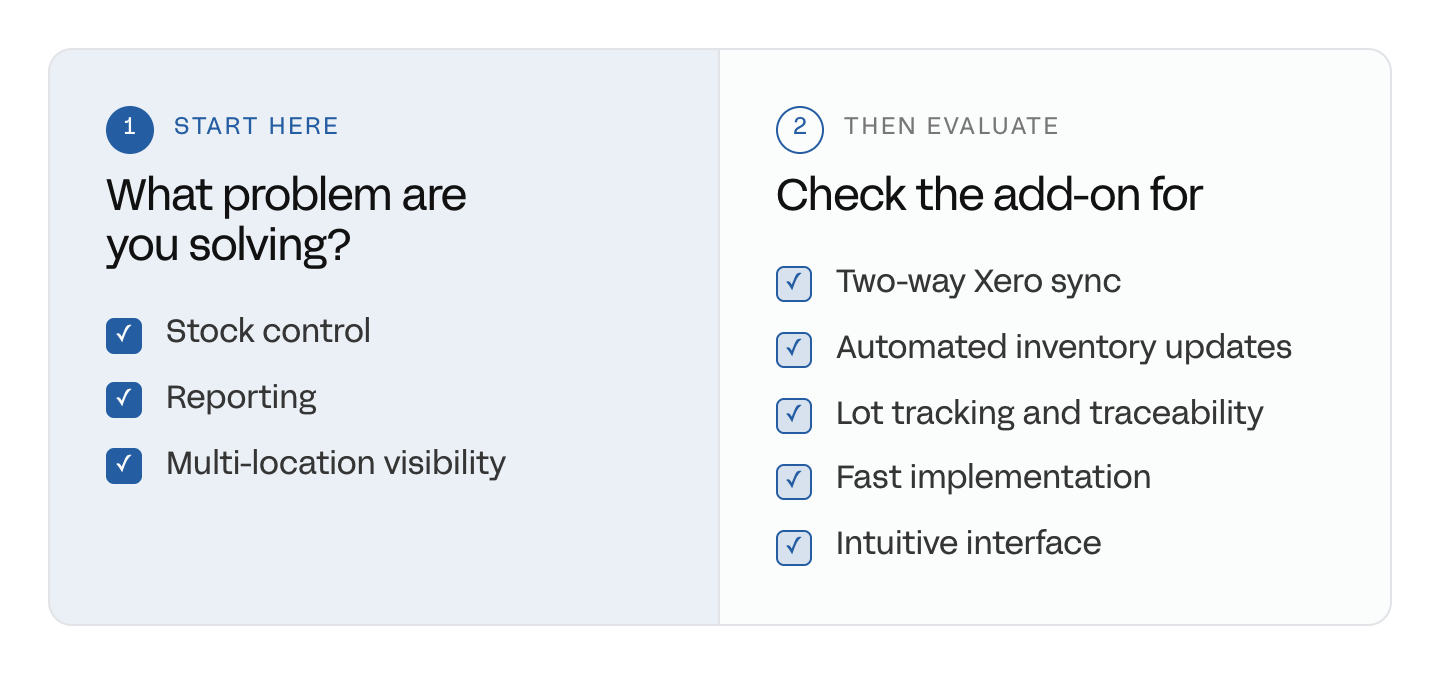
Xero's native limits point to why you need a dedicated add-on. Choosing the right one comes down to evaluating it against a specific set of criteria, not just picking the most feature-heavy option.
As we already pointed out earlier, when it comes to using Xero to manage your inventory, its limitations are likely to force you to find an alternative solution to use alongside it.
You might think to yourself, “in for a penny, in for a pound” when it comes to choosing software and getting one that is jam-packed with features. But an inventory add on for Xero will come in all different shapes and sizes, and be built to solve specific problems for certain types of business, meaning what might be suitable for one business might not be suitable for yours. So, before you start looking, define the problem you want to solve. Is it:
- Stock control
- Reporting
- Multi-location visibility
This will give you some indication about what to expect from an add-on.
Then you’ll need to look into how the integration with Xero works and see whether the way it sends data suits your business. And with all that in mind, we went ahead and gathered 6 Xero add ons you can start looking into based on what problems they were built to solve and how they can help you.
The 6 Best Inventory Add-Ons Based On Use Case
Every Xero inventory add on performs differently and has different functionalities.
Some come built with Bill of Materials (BOM) features for manufacturers, while others let you sync multiple sales channels to centralize your sales order management.
Below, you can find 6 of the best Xero inventory add ons based on what problems they fix and what types of businesses they serve.
Note: Some solutions, like Sutton, are industry-agnostic and are built to fit into your workflows, not the other way around.
For Manufacturers: BOMs, Production, and Lot Tracking
These are businesses that build products either in-house or outsource manufacturing, and then sell those goods.
1. Sutton
Pricing: Starts at $320/month.
Sutton is relatively new to the market but is already making a big splash in the inventory add on for Xero world — giving manufacturers what they need to manage all their different inventory types.
How it does this is by syncing all your different orders and production runs together, meaning you can get full end-to-end traceability of your supply chain. What this means in practice is, if you sell a finished good, not only can you track it and find where it was sold and which client currently has it, you can even trace each material and sub-assembly to the original supplier. Sutton does this by generating and assigning lot numbers to manufacturing orders that stick to the product so you can trace its full history if ever needed.
Inventory management is automated, so once you receive a delivery from suppliers, you mark your purchase order as received, and your inventory levels are topped up based on what was delivered. After that, as an item moves along your supply chain or is consumed or sold, your inventory levels update in real time, so you always have an accurate stock count.
Pros:
- Supports manufacturers, distributors, and wholesalers
- Has a two-way sync with Xero, so each system contains matching and up-to-date info
- Is faster to implement than traditional ERP tools, with most teams going live within weeks
- Modern, intuitive interface and transparent pricing
Cons:
- Some advanced manufacturing features are still in development
- Updates roll out system-wide rather than per-customer
2. MRPeasy
.png)
Pricing: Starts at $49/user/month across four tiers (Starter through Unlimited)
MRPeasy is built specifically for small-scale manufacturers using Xero, who have outgrown their spreadsheets for managing production and need a cloud-based tool to help them manage their growing BOMs.
You can document and save BOM versions so any changes you make to a product are documented and saved in MRPeasy. These BOMs are also connected to your production, so when an MO is generated, routing and inventory requirements are automatically sent to your shop floor operator, so they know what they need to work on and when they can make a start.
Did you know? This is a fairly common feature in Bill of Materials inventory management software.
Pros:
- No-contract, transparent per-user pricing
- Discounts offered based on volume, which will reduce per-user cost as headcount grows
- Specialized BOM types like Matrix, Disassembly, and Co-product
- Solid version control and BOM traceability
Cons:
- Per-user pricing will hurt smaller teams with a limited budget
- Has almost no financial management tools and is reliant on integrations like Xero
- Less polished, modern interface compared to newer solutions like Sutton
For Multi-Channel Sellers: Order and Channel Sync
Selling across Shopify, Amazon, and other channels means keeping stock and orders in sync everywhere at once — something Xero doesn't attempt natively.
The two options below cover that job differently, depending on whether you're one store selling everywhere, or a network of vendors selling through you.
3. Katana
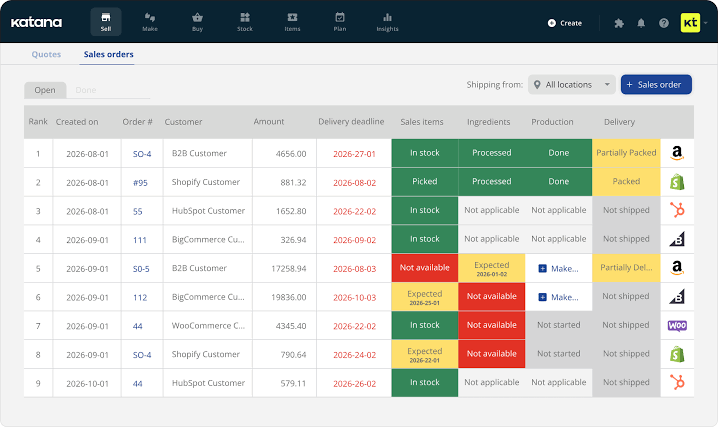
Pricing: Starts around $299/month, though modules like traceability, manufacturing, and warehouse tracking are billed separately and can push the total costs higher
Katana connects to Shopify, Amazon, WooCommerce, and other channels, keeping one real-time inventory record across all of them.
Orders from every channel land in a single queue, and stock updates the moment an order is confirmed. Beyond basic sync, Katana tracks inventory at the location level for teams running multiple warehouses or 3PLs, and it covers production and assembly — components and work orders alongside finished-goods inventory.
Pros:
- Strong native integrations across major e-commerce and accounting platforms
- Single real-time inventory record across every sales channel
- Covers light production and assembly, not just sync
- Location-level tracking for multi-warehouse or 3PL setups
Cons:
- Pricing has shifted to usage-based metrics (sales order line items, GMV), which can escalate quickly for high-volume, low-ticket sellers
- Core modules like traceability and manufacturing cost extra on top of the base plan
- Some users report pricing changes mid-subscription
4. Shipturtle
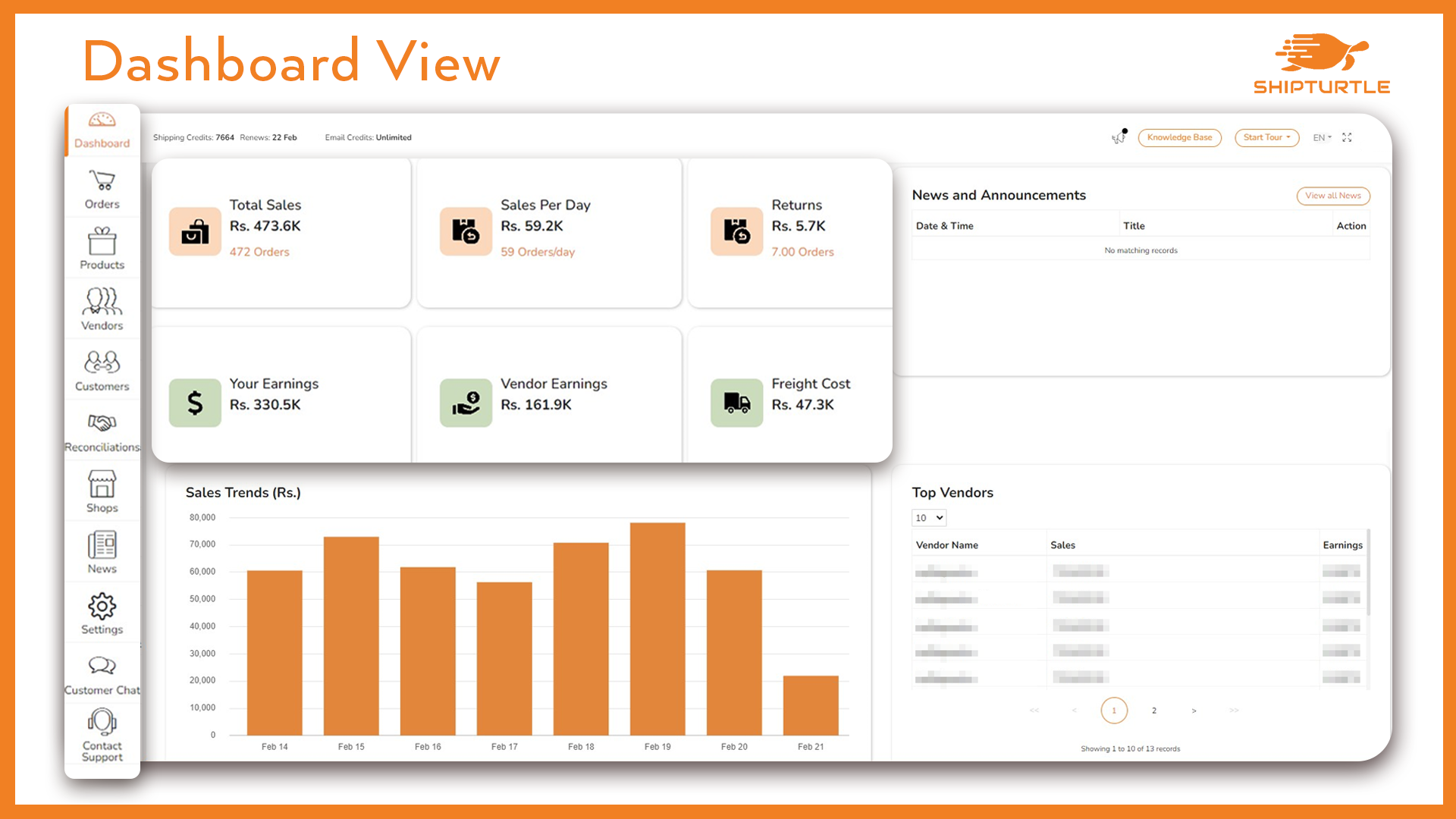
Pricing: Marketplace plans from $49/month up to $1,099/month for Enterprise
Shipturtle is built for merchants running dropshipping or multi-vendor marketplaces, not a single store syncing to sales channels.
It maintains two-way inventory sync between a merchant's store and its vendors, including pulling vendor inventory directly from their own websites, and automatically splits and routes incoming orders to the right vendor. Vendors get their own dashboards and logins, commissions are configured per vendor, and shipping labels, invoices, and customer tracking pages are generated automatically.
Pros:
- Purpose-built for multi-vendor and dropshipping operations
- Two-way vendor sync, including pulling stock from vendors' own sites
- Automated order routing and vendor dashboards reduce manual admin
- Free trial available with no upfront commitment
Cons:
- Built primarily around the Shopify ecosystem, so less useful outside it
- Lower-tier plans limit customization, including custom vendor messaging
- Not built for production or manufacturing tracking of any kind
For Distributors and Wholesalers: Multi-Location and Purchasing
Distributors and wholesalers usually need less production depth and more strength in purchasing, multi-location visibility, and multi-language or multi-currency support.
5. Ailit
Pricing: Available on request.
Ailit is built for multilingual wholesale and retail SMBs, offering AI-powered inventory management that covers purchase orders, sales, and stock tracking across seven languages.
It serves merchants in 154 countries and is developed by Kingdee, a publicly listed SaaS company, giving it enterprise backing uncommon among smaller inventory add-ons.
Pros:
- Strong multilingual and multi-currency support for global operations
- Backed by a publicly listed parent company, offering unusual stability for this tier of tool
- Mobile-first design suited to wholesalers managing stock on the move
- Large existing footprint across countries and industries
Cons:
- Pricing isn't published, so getting a real cost requires contacting sales
- Thinner independent review coverage than more established competitors
- Not built for manufacturing
6. WareGo
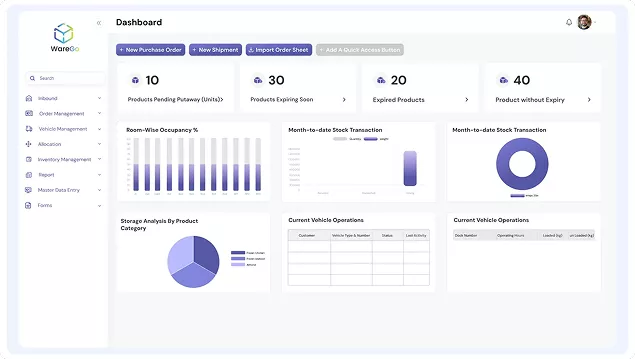
Pricing: Starts around $350/month per vendor listing
WareGo connects warehouses, e-commerce, and 3PL operations with real-time inventory sync, and integrates with ERP systems, e-commerce platforms, and 3PL warehouse management tools to keep order data flowing between them.
Onboarding takes 24 to 48 hours, and the platform is fully usable from a mobile app for receiving, picking, and packing — WareGo reports this cuts pick-and-pack time by up to 30%.
Pros:
- Fast onboarding, typically 24 to 48 hours
- Broad integration library across ERP, e-commerce, and 3PL systems
- Mobile app covers receiving, picking, and packing directly
- Reports meaningful pick-and-pack time savings
Cons:
- Pricing is reported inconsistently across sources, so confirm current tiers directly before committing
- Less brand recognition and independent review depth than larger competitors
- Minimal public track record on funding or long-term stability
How to Choose the Right Add-On for Your Stage
The right add-on depends on your business's stage, not the tool with the longest feature list.
A business still reselling finished goods from one location may not need a Xero inventory add on at all. One juggling multiple sales channels needs sync, not manufacturing tools. A multivendor or dropshipping operation needs vendor routing over production features. And a business that makes what it sells — whether that's a single-level recipe or multi-level assemblies with sub-components — needs real manufacturing depth.
For that last group, Sutton is the strongest fit on this list.
It's the only option here built specifically to close the manufacturing gap while keeping accounting data synced back to Xero rather than living in a disconnected system, with tools for managing:
- BOMs
- Manufacturing Orders
- Lot traceability
- Multi-level assembly
If your business makes what it sells (in-house or not), Sutton is the one add-on built for that specific stage. If you'd like to see Sutton in action, feel free to book a call, and we can show you firsthand how it can work within your specific workflows.

.jpg)
%20(1)%20(1)%20(1).jpg)